
Websites for restaurants

Restaurant websites that take bookings and orders

Your menu with allergens, table bookings, delivery and collection from your own website with live tracking, and ordering at the table by QR code. Built in minutes, run from one dashboard, with Moon SI helping along the way.

Free to build and look around, no card needed.

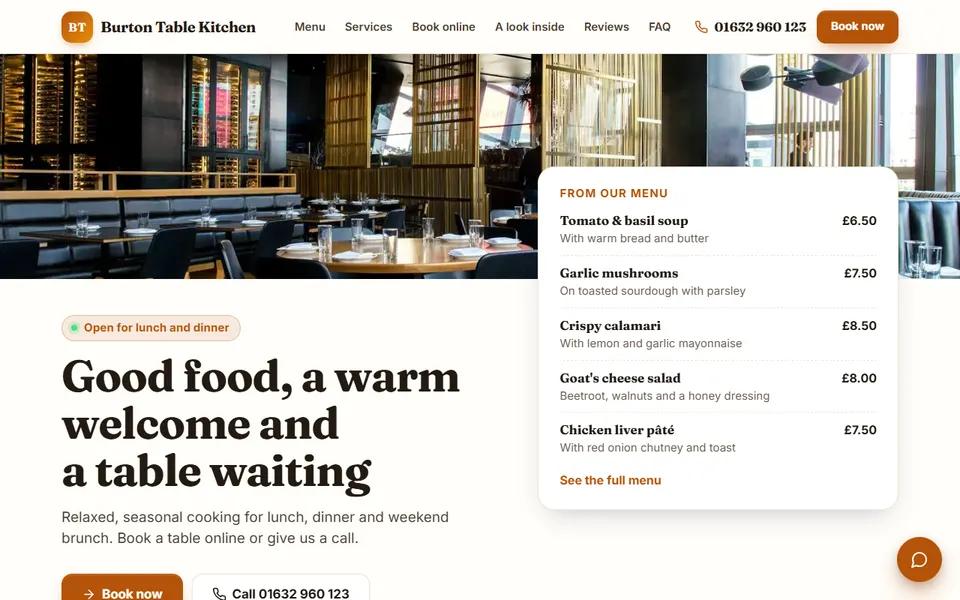
The home page of our restaurant demo website

Your website

What your restaurant website does

Everything here is built in to every restaurant website we make, and you can switch parts on or off from your dashboard.

  • Your menu, with a photo for every dish

    Sections, prices and V, VE and GF labels, plus choices with their own prices (size, milk, extras), and the 14 allergens UK law asks you to tell customers about, shown on each dish.

  • Table bookings

    Guests ask for a table with the day, the time and how many of them, and add any allergies or a special occasion. You confirm it in Moon HQ.

  • Delivery and collection from your own website

    A basket on your own site: customers order for delivery by your own riders or for collection, and the order comes straight to you.

  • Live delivery tracking

    Every order gets its own tracking page. Once your rider shares their location, the customer watches them on a live map until the food arrives.

  • Fake-order protection

    Customers can sign in with a checked phone number, and risky orders are asked to pay online first or to call you, so you never cook for nothing.

  • Order at the table by QR code

    Each table gets its own QR sticker. Guests scan it, order from their phones in rounds, call for staff, water or the bill, and pay at the end. You choose how a table starts: staff confirm it, guests type a 4-digit table code, or staff open the table themselves.

  • Sold out in one tap

    Mark a dish sold out for the rest of the day or until you switch it back. Your website greys it out and will not take an order for it.

  • Orders only when you are open

    When your opening hours say the kitchen is closed, the website says so and tells customers when you open, instead of taking an order nobody will cook.

  • Ways to pay that suit you

    Cash, or card on your own card machine at the door or the counter. Paying online before delivery is available once your own Stripe account is connected.

  • Your delivery app links and WhatsApp

    If you are on Deliveroo, Uber Eats or Just Eat, your website links to your page there, and customers can send you an order by WhatsApp too.

  • Built for phones first

    Most people will find you on a phone, so every page is made for a phone screen first and then for laptops, with a light and a dark look.

  • Live chat on every page

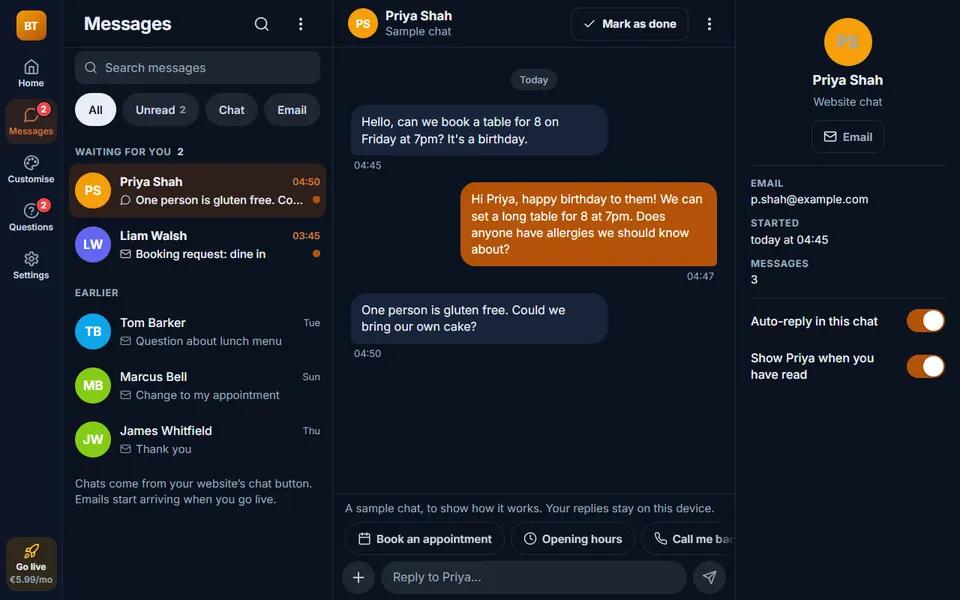
    Visitors can ask a question from any page of your website, and the conversation comes into your Moon HQ inbox.

  • Your photos and your reviews

    A gallery of your own photos and a section for what customers say about you. The reviews on the demo are samples; on your site they are your own.

  • Set up for Google and AI assistants

    When your site goes live it gets page titles, a sitemap, structured data and an llms.txt, all built from what your site actually shows. We set this up properly for you; nobody can honestly promise a place on Google, and we do not.

  • Your own web address

    Use a domain you already own on any plan, or buy one from your dashboard (prices on our prices page).

Watch

See how ordering works

How a customer orders from a Moon food website, filmed on our café demo. Restaurants use the same ordering.

The guide

What a restaurant website needs, and how Moon does it

What a restaurant website has to do

A restaurant website gets looked at for three reasons: to see the menu, to book a table and to order food. If any of those is hard on a phone, people order from a delivery app instead, and the app takes its commission on every order.

A Moon restaurant website puts all three on your own site. The menu has a photo for every dish, prices and allergens, the booking form takes the details you need, and the basket takes delivery and collection orders that come straight to you, with no commission to a delivery app.

Delivery and collection, with live tracking

Customers order for delivery by your own riders or for collection, and pick a time. The order arrives in Moon HQ, where you accept it and mark it preparing, ready and out for delivery.

Your rider gets a link to the order on their phone. Once they start sharing their location, the customer's tracking page shows a live map with the rider moving towards them, so nobody rings to ask where their food is.

No more fake orders

Customers can have an account on your website with a checked phone number. Moon's fake-order checks look at each delivery order and each order paid later: a risky one is asked to pay online first or to call you, so you never cook or drive for an order nobody will pay for.

Your menu, allergens and specials

Sections, prices and V, VE and GF labels, choices with their own prices, and the 14 allergens UK law asks you to tell customers about, shown on each dish. Mark a dish sold out in one tap and the website stops taking orders for it.

Got a paper menu already? Take a photo of it and Moon SI turns it into your online menu, ready for you to check.

Order at the table by QR code

Each table gets its own QR sticker. Guests scan it, order from their phones in rounds, call for staff, water or the bill, and pay at the end. A live map of your tables in Moon HQ shows new orders, staff calls and bills asked for.

Ways to pay

Cash, or card on your own card machine at the door or the counter, and GCash for restaurants in the Philippines. Paying online before delivery works once your own Stripe account is connected, with the money paid straight to your bank.
Build your restaurant website free

The live demo

See it for yourself

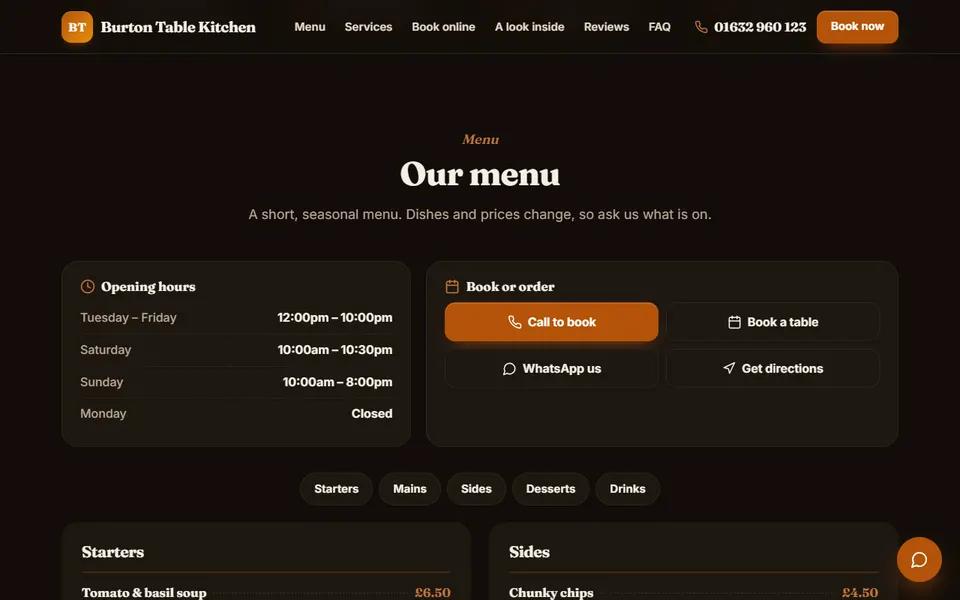
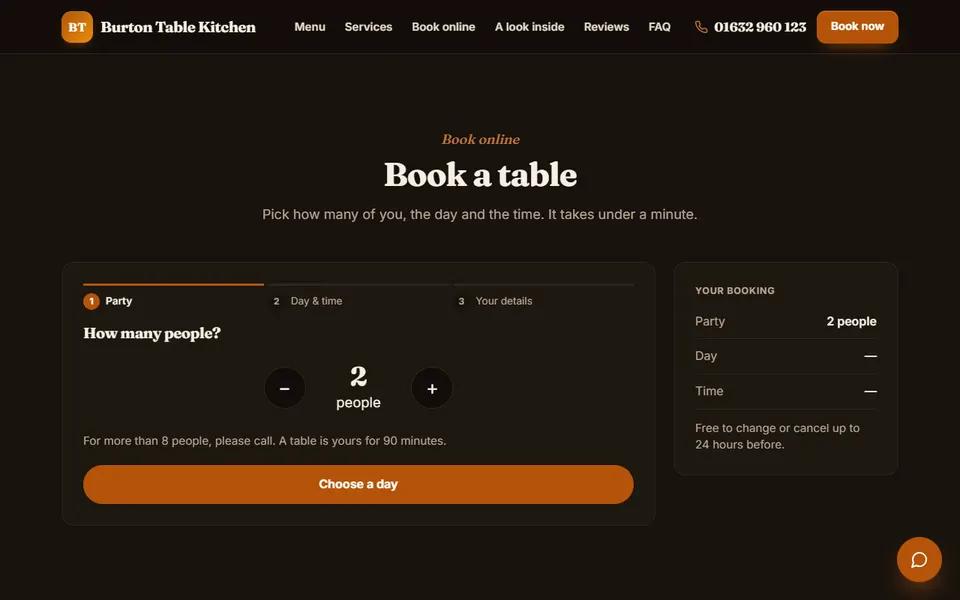
Real screens from our restaurant demo, a made-up business. Yours gets your own name, words, photos and colours.

  • Our restaurant demo: home page
    Home page
  • Our restaurant demo: menu
    Menu
  • Our restaurant demo: booking
    Booking
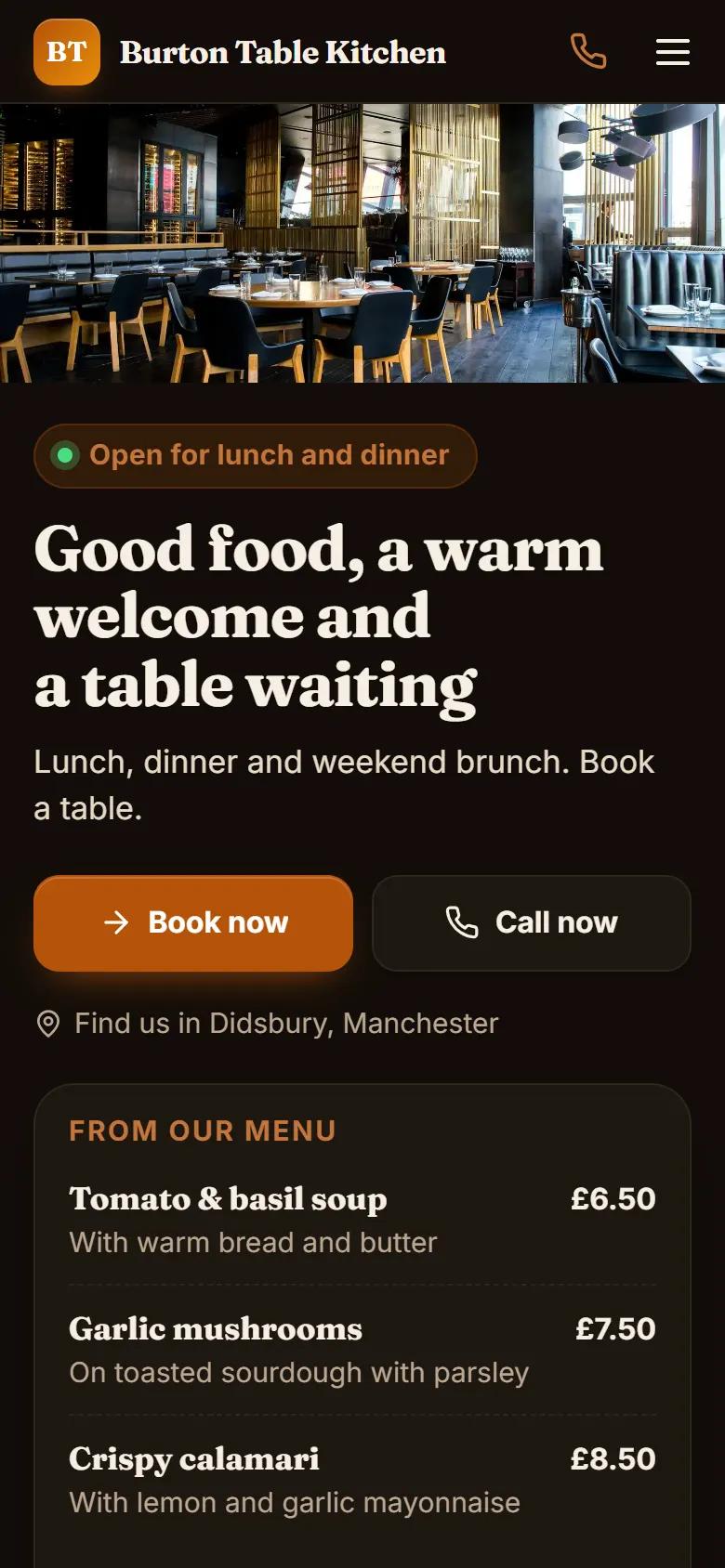
  • Our restaurant demo: on a phone
    On a phone
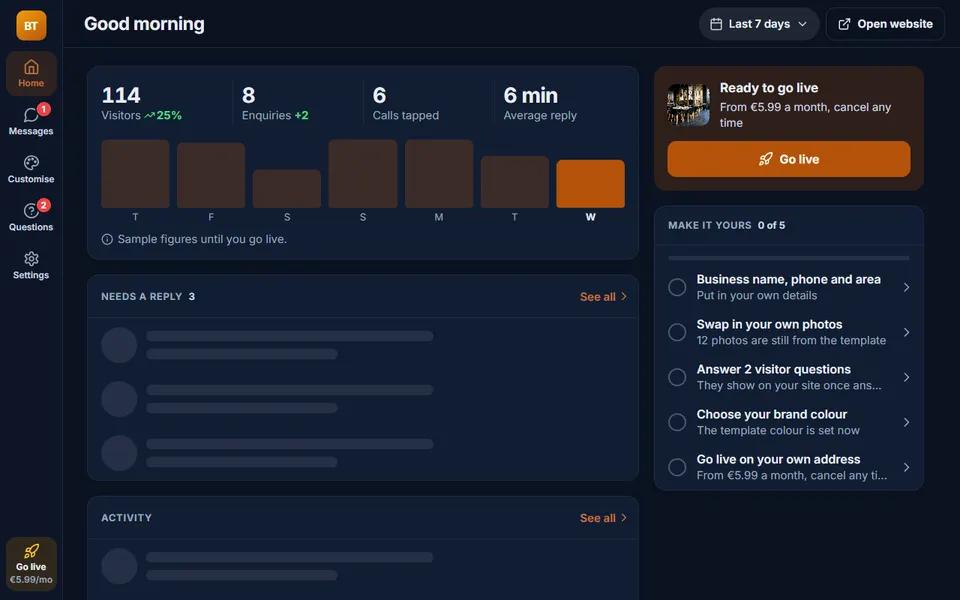
  • Our restaurant demo: your dashboard
    Your dashboard
  • Our restaurant demo: inbox
    Inbox
Open the live restaurant demo

Moon HQ

Run it all from one dashboard

Moon HQ is where you run your restaurant business. A restaurant website starts with these screens, and every other screen is one tap away.

  • Orders and kitchen screens

    New orders and table rounds arrive in Moon HQ. Accept them, then mark each one preparing, ready, and served or collected. Each dish can go to the kitchen screen or the bar.

  • Tables and QR codes

    A live map of your tables by area, showing new orders, staff calls and bills asked for. Print QR stickers or table cards on A4 in your own colours, and mark each bill paid.

  • Menu editor

    Change dishes, prices, photos, choices and allergens yourself, and the website updates straight away.

  • Bookings

    Customers pick a time on your website and you confirm it, all in one calendar.

  • Customers

    Every customer and enquiry in one list, with their history, so nothing gets lost in a phone or an inbox.

  • Payments

    A record of what customers paid you and how.

  • Stats

    Who visits your website, where they come from and what they do there.

Why Moon Websites

Your whole business online, in one app

Moon puts the six pieces below in one app, with one login and one monthly price, sharing the same details so nothing is typed twice.

  • Moon Super Intelligence

    The super intelligence that runs your business with you: it spots what needs doing, does the work, such as your posts, emails and review replies, and suggests your next steps.

  • Website

    Made for your trade and changed from your phone. Its chat answers visitors straight away, and every enquiry is saved for you.

  • Social media managerComing soon

    Moon Reach plans and posts to X, Bluesky, Mastodon and Discord from one place, up to a year ahead. Coming soon: Facebook, Instagram, Threads, LinkedIn, Google Business Profile, TikTok, YouTube, Pinterest, Telegram and Tumblr. Posting starts in practice mode: each post is recorded exactly as it would go, and goes out for real once your business is switched live.

  • Email

    Send and receive email with customers from your dashboard, saved on each customer's history. Emails to new customers: coming soon.

  • Customer list (CRM)

    Every enquiry, chat, booking and customer on one list, with each person's whole history and one-tap call, WhatsApp, text or email.

  • Your numbers

    See who visits your website, which post, email or ad brought each enquiry, and what it was worth.

Why it matters for your business

  • One platform

    Your website, customer list, messages and marketing in one app on your phone or computer, with one sign-in.

  • One set of data

    A website enquiry goes straight into your customer list and inbox, and your posts and emails use the same business details. Nothing to copy across.

  • A fixed monthly price

    One price a month for your plan, no set-up fee, cancel any time. Extras such as text credits only if you choose them.

  • Free updates

    New designs and features for your plan come at no extra cost, and you choose when your website takes a new design.

Pricing

Two simple monthly plans

No set-up fee. Building and looking around your website is free.

Starter

Your website, your dashboard and live chat

£9.99a monthMonthly, cancel any time

  • Your website, ready to use
  • Your own dashboard
  • Free advanced SEO
  • Post to every social account you connect (coming soon)Coming soon, free with your plan
  • AI writes your posts
  • Built-in ads with a monthly limit you setComing soon
  • Online bookings and payment records
  • Your own web address
  • AI replies to your messages and commentsComing soon, free with your plan
  • 25 scheduled posts a month, across all platforms
  • 10,000 Moon credits of AI every month
Start building – free

Premium

Moon SI Artemis, our most capable AI, and a big monthly AI allowance

£150a monthMonthly, cancel any time

  • Everything in Pro
  • Moon SI Artemis, our most capable AI model
  • 379,000 Moon credits of AI every month, plenty for Moon SI Artemis
  • 100 scheduled posts a month, across all platforms
  • Email campaigns, up to 5,000 emails a monthComing soon, free with your plan
Start building – free

Add when you need them

  • 100,000 AI creditsExtra AI credits that never run out. Used after your monthly credits.£10.87 once
  • 250,000 AI creditsExtra AI credits that never run out. Used after your monthly credits.£26.86 once
  • 500,000 AI creditsExtra AI credits that never run out. Used after your monthly credits.£53.51 once
  • 100,000 extra AI credits a monthExtra AI credits every month on top of your plan, for as long as you keep it. Unused ones do not carry over.£10.95 a month

Pick your plan when your website is ready to go live.

See every price, extras included

Questions

Questions restaurants ask us

  • How much does a restaurant website cost?

    Starter is £9.99 a month, Pro is £19.99 a month and Premium is £150 a month in the UK. Plans are monthly with no minimum term and no set-up fee, and building and looking around your website is free, with no card needed. Every price, extras included, is on moonwebsites.co.uk/prices.

  • Can customers order delivery and collection from my own website?

    Yes. Your menu gets a basket, and customers order for delivery by your own riders or for collection. You choose which of the two you offer, and the orders come into Moon HQ, not a delivery app.

  • Can customers track their delivery?

    Yes. Every order has its own tracking page. Once your rider starts sharing their location, the customer sees them on a live map until the food arrives.

  • How do you stop fake orders?

    Customers can sign in with a checked phone number, and Moon checks every new order. A risky order is asked to pay online first or to call you before you cook.

  • How does ordering at the table work?

    Each table has its own QR sticker. Guests scan it, order from their phones in rounds, and can call for staff, water or the bill. The bill is paid at the end, as it is now. You choose whether staff confirm a new table, guests type a table code, or staff open each table.

  • Can I still use Deliveroo, Uber Eats or Just Eat?

    Yes. Your website can link to your page on each of them, next to ordering from your own site.

  • Can I show allergens on my menu?

    Yes. Each dish can list which of the 14 allergens UK law covers it contains, along with V, VE and GF labels, and customers see them before they order.

  • What happens when a dish runs out?

    Mark it sold out in one tap, for the rest of the day or until you switch it back. The website greys it out and will not take an order for it.

  • Can customers pay online?

    Customers can pay cash, or by card on your own card machine. Paying online before delivery works once your own Stripe account is connected. Table bills are paid at the end.

  • Will this put me at the top of Google?

    Nobody can honestly promise that, and we do not. What we do is set your live site up properly: page titles, a sitemap, structured data built from what your site shows, and a Google screen in your dashboard that shows where you appear and what to fix.